How to transfer your domain
by Chirpy Domains
2 min read

If you haven't yet obtained your Domain's transfer password (Authorisation Code), please read our handy guide.
Once you're ready to transfer, visit our transfer page where you'll find the Domain transfer box.
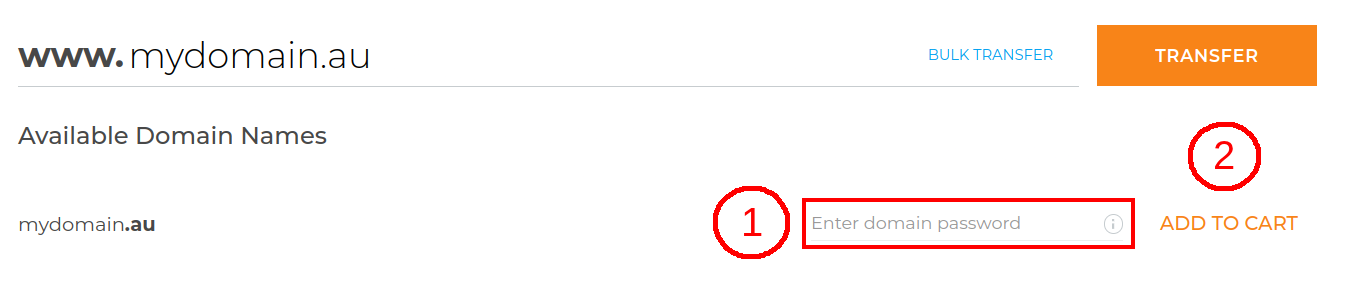
Enter your Domain
(1) Enter your Domain name.(2) Click Transfer.

Enter your Domain Password
(1) Enter your Domain password.(2) Click Add to cart.
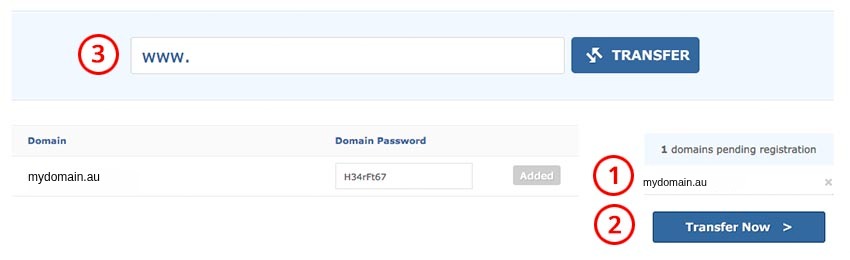
Proceed to review
(1) After clicking Add your Domain is added to your cart.(2) Click Transfer Now.
(3) You can add more Domains to transfer at the same time, if required.
Review cart
(1) Click Check out.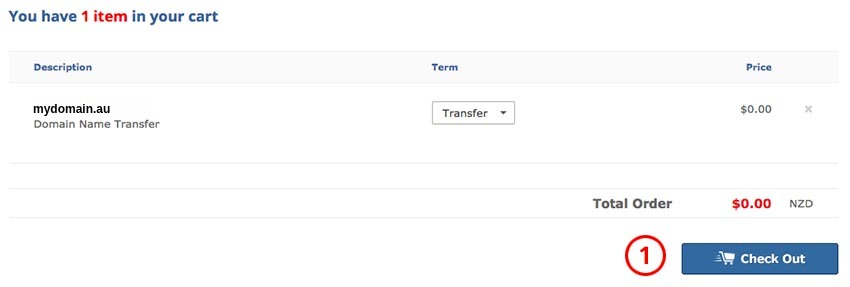
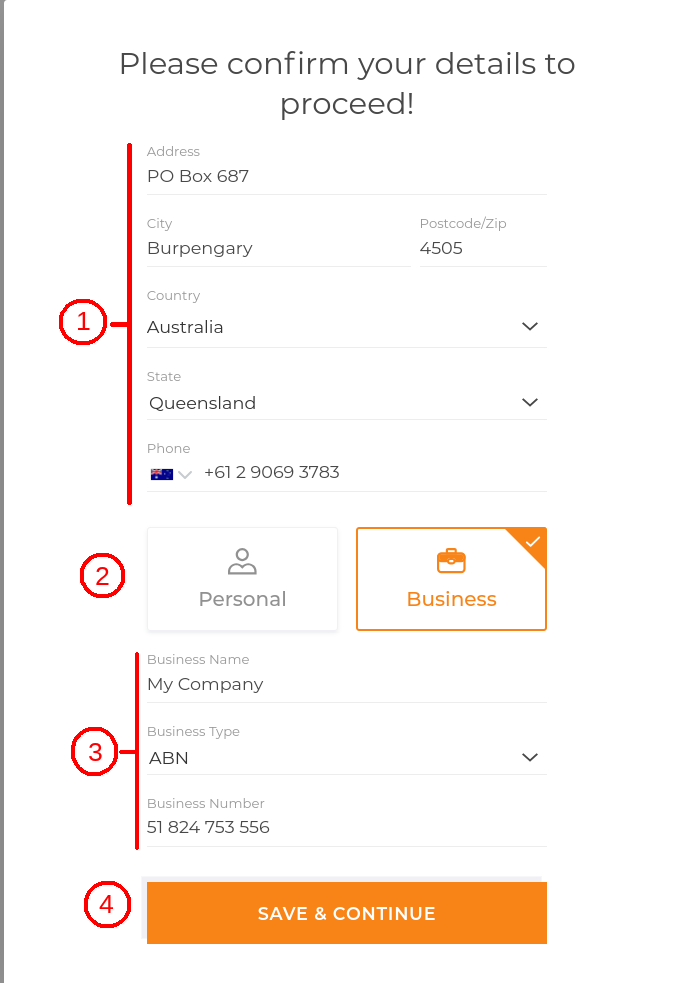
Register your contact details
(1) If you're not yet registered as a user on our website you'll need to enter your contact details as a new member. These contact details will be listed against the Domain's nameholder information.(2) Choose if this Domain is being registered to an individual or to a business or organisation.
(3) Enter your business name, type and number.
(4) Click on Save & Continue.
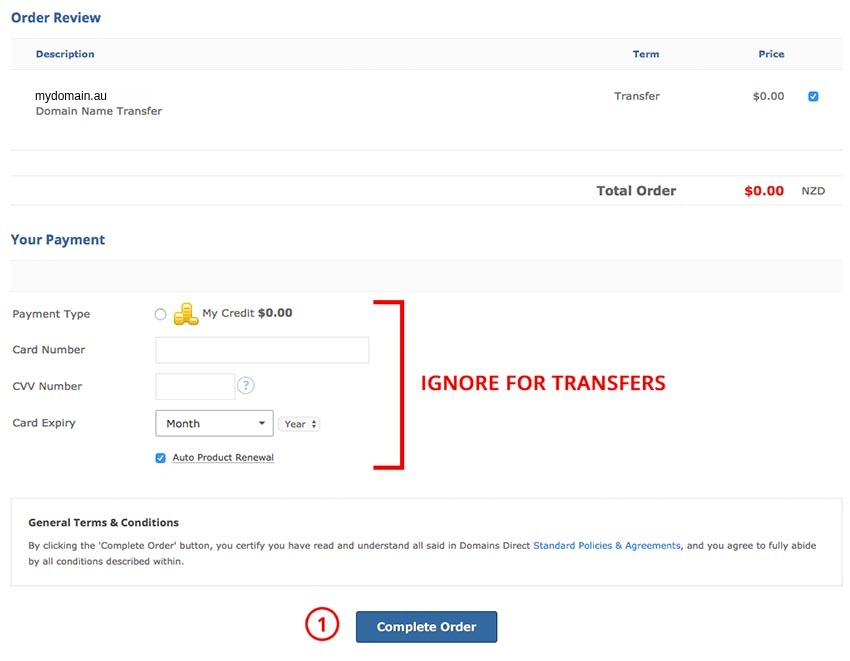
Complete transfer
As no payment is required for .au transfers you can ignore the payment section.(1) Click Complete Order. Your Domain will be queued for transfer and you'll receive an email when complete.