How to register your domain
by Chirpy Domains
2 min read

If you haven't yet decided on a Domain name, you can read our handy guide:
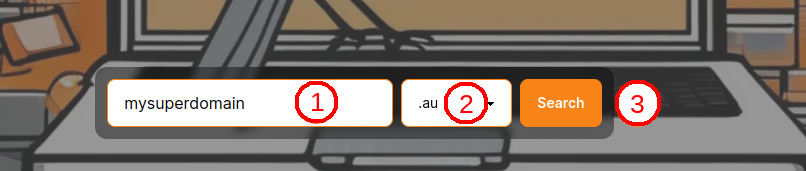
Once you're ready to register, visit our home page, where you'll find the Domain search box. In this example, we'll register the Domain mysuperdomain.au.
Search for a Domain
(1) Enter the name part of your Domain.(2) Select your suffix from the dropdown list.
(3) Click Search
Add Domain to cart
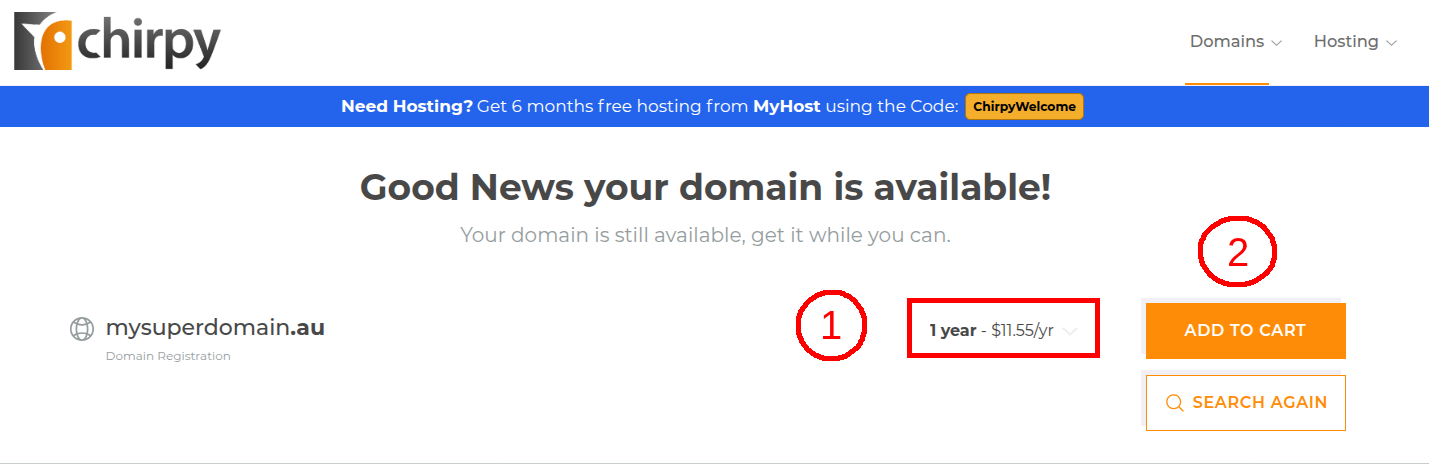
You'll be taken to our secure area, where you'll see whether your domain is available or not. When you've found an available domain:(1) Choose your registration period.
(2) Click Add To Cart
Proceed to review
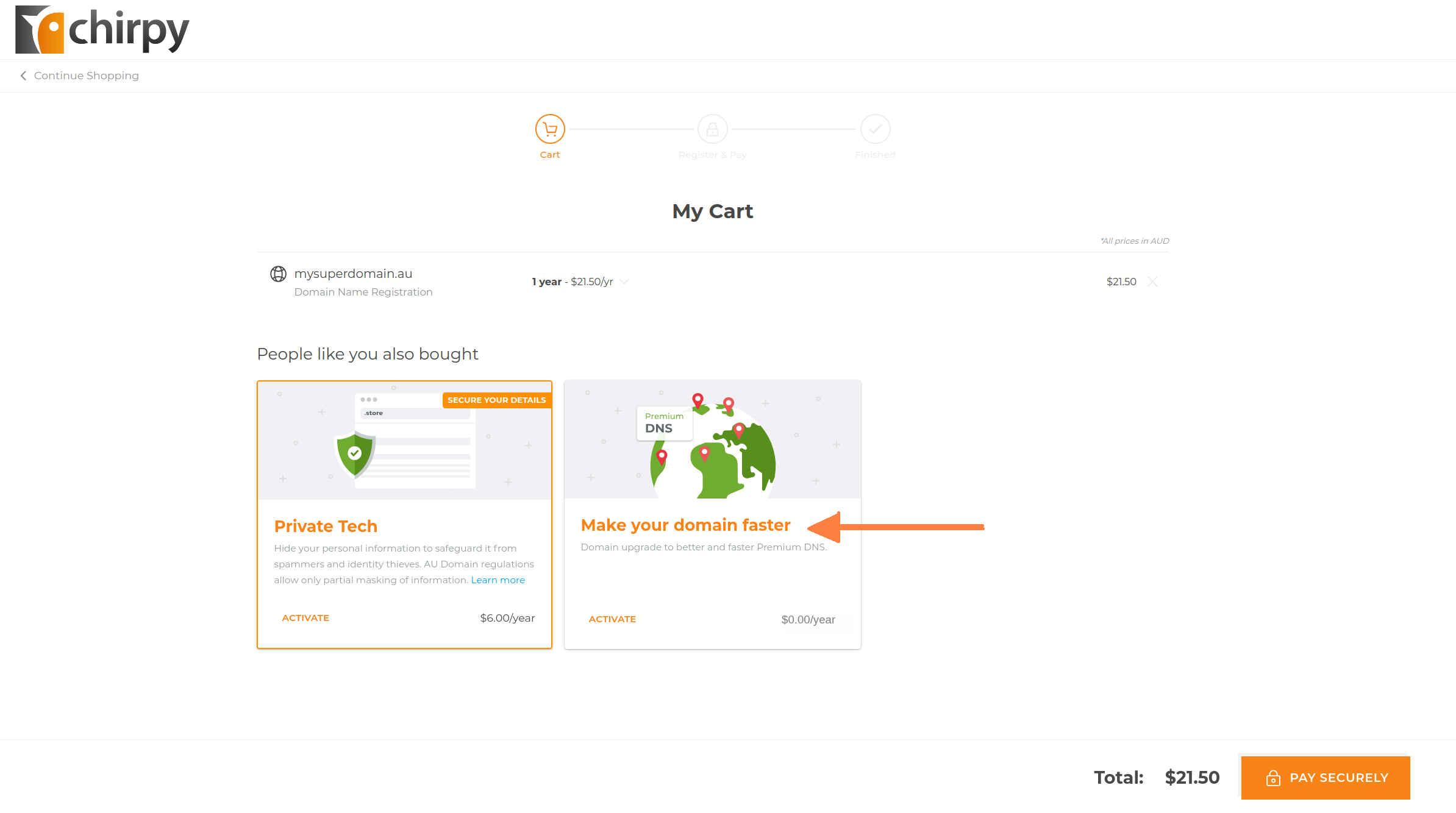
After your Domain is added you'll see your shopping cart. If you want more domains, click Continue Shopping.If you are ready to pay, then Go To Cart.

Add FREE Premium DNS
Premium DNS is an add-on that some retailers charge extra for, but not us. It increases your ability to manage your domain the way you want, and there's absolutely no cost.Click Make your domain go faster to add Premium DNS to your purchase.
Review cart
Review your cart to ensure all the items you need are included, then click Pay Securely.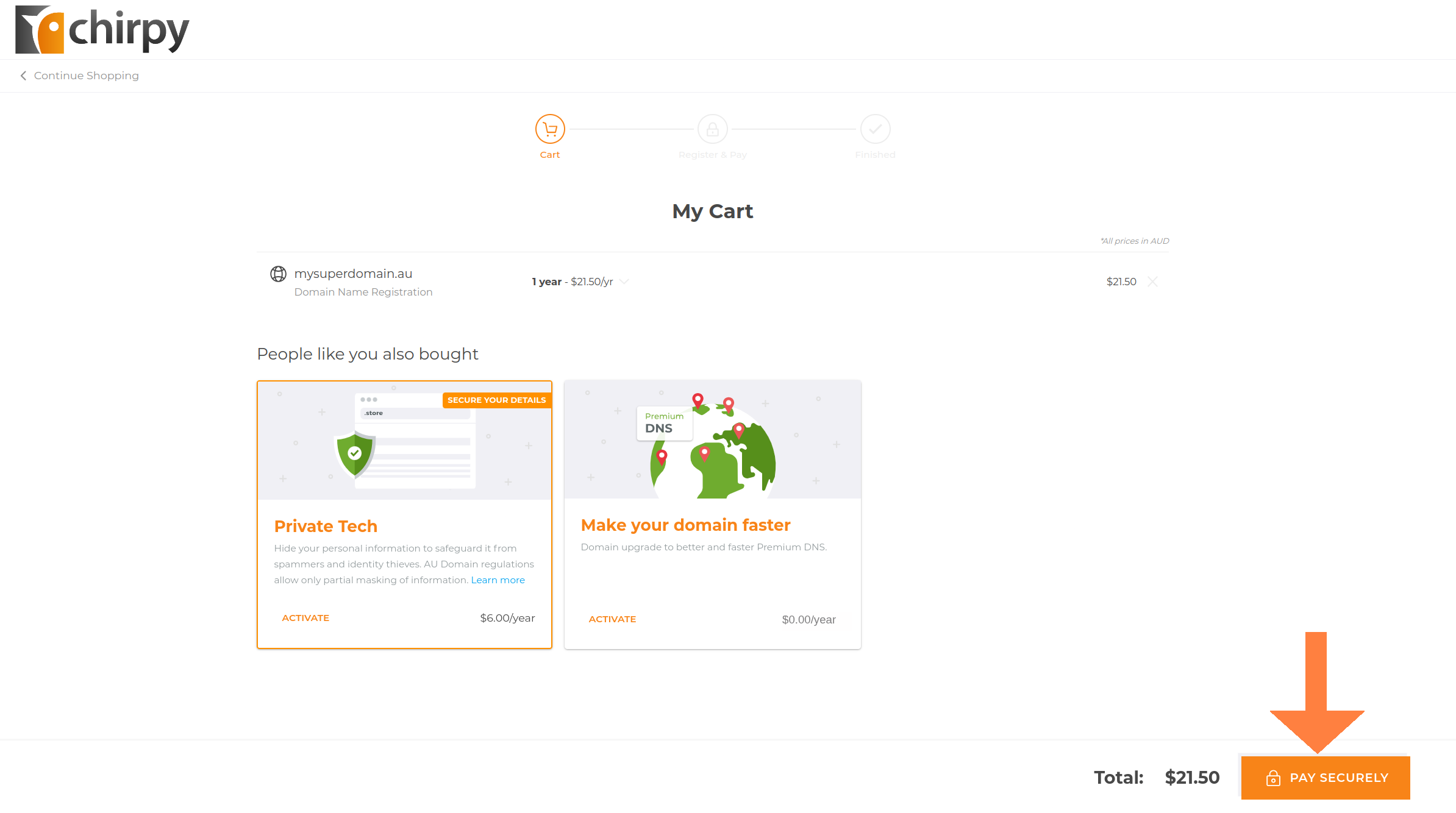
Register your contact details
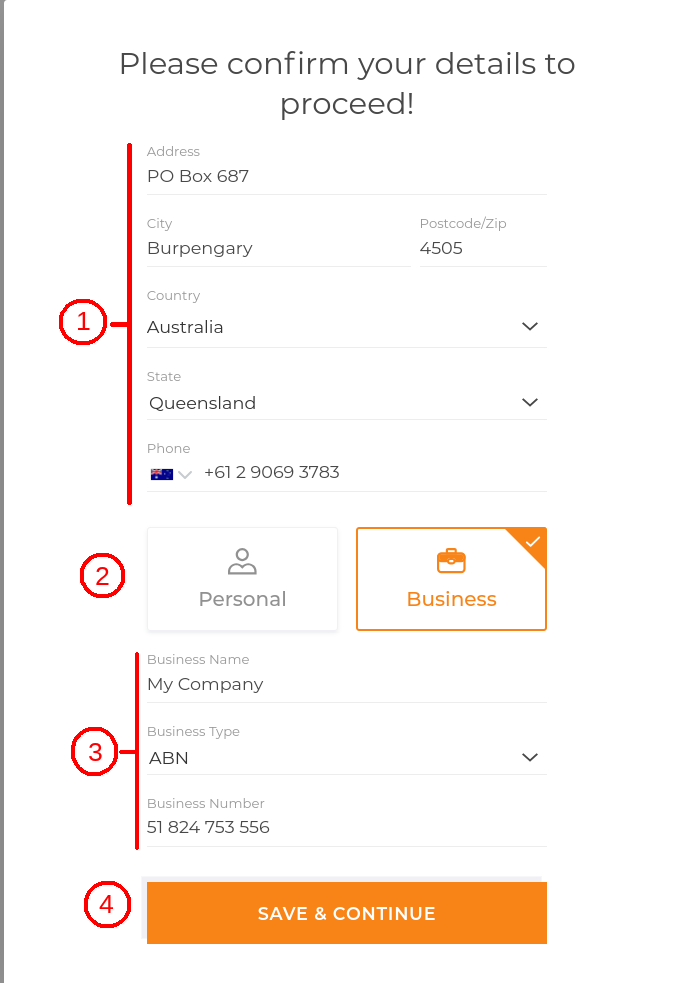
(1) If you're not yet registered as a user on our website you'll need to enter your contact details as a new member. These contact details will be listed against the Domain's nameholder information.(2) Choose if this Domain is being registered to an individual or to a business or organisation.
(3) Enter your business name, type and number.
(4) Click on Save & Continue.
Confirm your ABN details and eligibilty
You will need to check that your business or organisation details are correct and that you are eligible to register the Domain.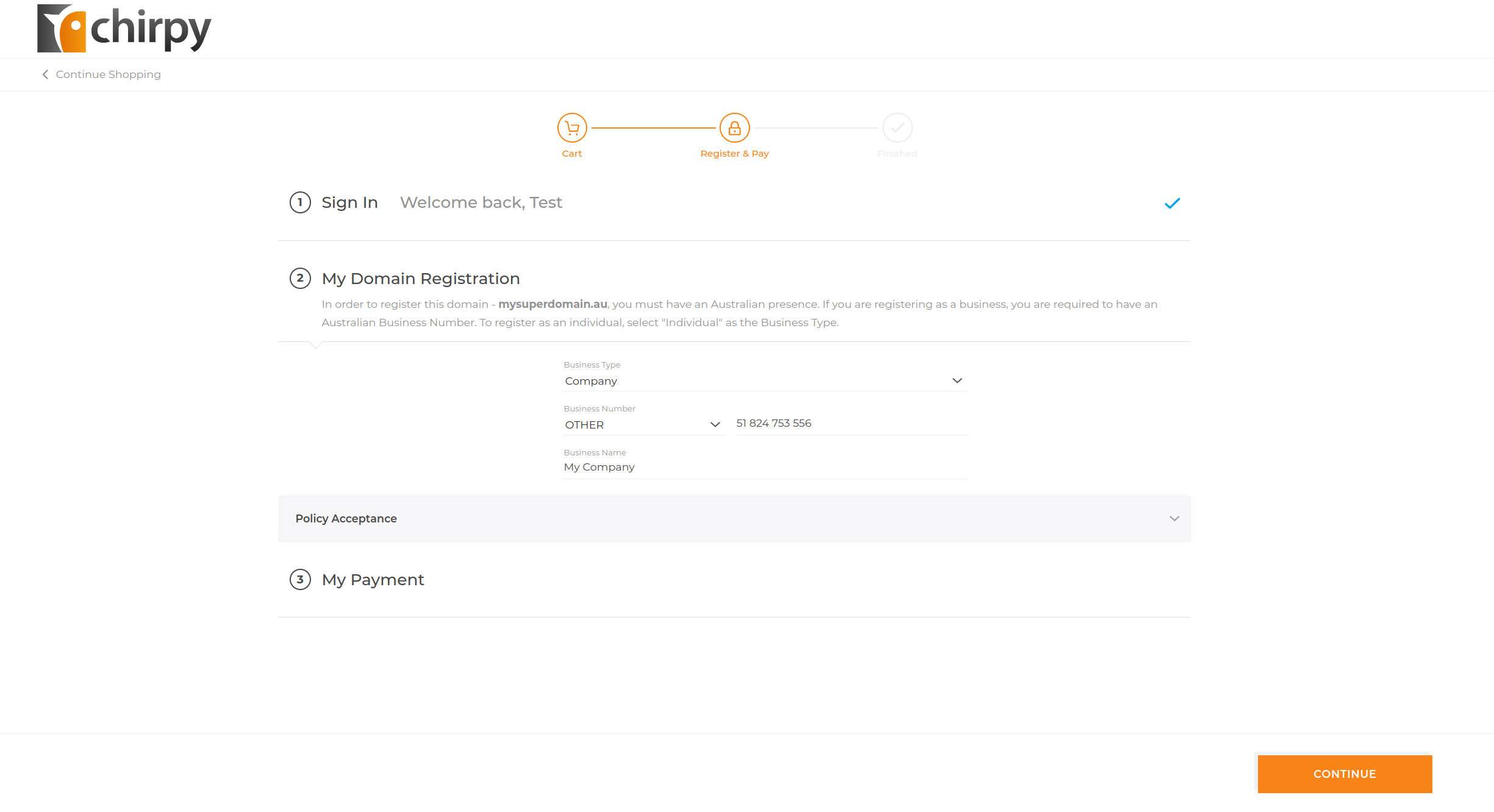
Make payment
(1) Check you're happy with your order total (Note: this total is GST-inclusive.).(2) Enter your credit card details.
(3) Choose whether you want the Domain to renew automatically.
(4) Click Complete Order.
Your Domain will be queued for registration (this may take up to 10 minutes) and a GST receipt will be emailed to you.
